Semantic Models Overview
Semantic Models transform logical data models (ERDs) into business-ready analytics assets with full execution and publishing capabilities. From business requirements to production-ready DBT pipelines and platform agents—all automated.
What Semantic Models Do
From business requirements to queryable AI agent. No manual DBT coding required.
Semantic Models take the ERD from Schema Agents and:
- Capture business requirements through AI-driven interviews
- Generate production-ready artifacts (DBT, lineage, catalog, glossary, metrics)
- Execute DBT pipelines in your data warehouse
- Sync code to Git repositories
- Publish via chat to Snowflake Cortex Analyst, Databricks Genie, or BigQuery Data Agent
The Semantic Models Workflow
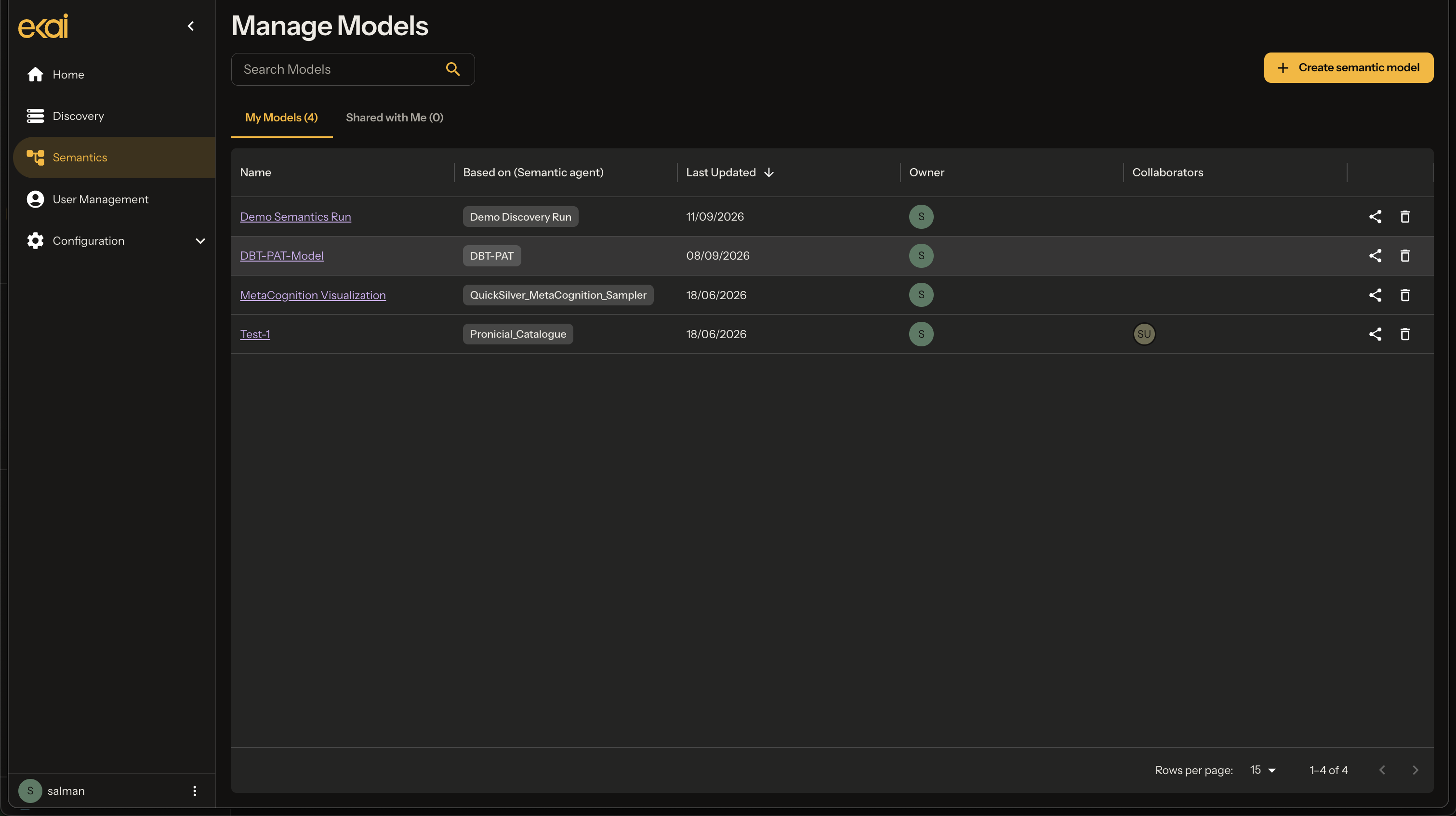
Navigate to Semantic Models
From the home page, select Semantics in the sidebar:
Workflow Steps
Each Semantic Model walks through these tabs:

| Tab | Purpose |
|---|---|
| Model Details | Setup, connection, context |
| Business Requirements | BRD interview |
| AI Modeling | Generated artifacts |
| Data Transformation | DBT execution |
| Code Sync | Git sync & publish |
Generated Artifacts
From ERD + BRD, ekai generates a complete suite of artifacts:
DBT Project
Complete dbt project with staging, intermediate, and mart models. Ready to run.
Data Lineage
Visual diagram and JSON representation of data flow from source to output.
Data Catalog
Technical and business descriptions for all entities and columns.
Business Glossary
Standardized term definitions linked to data elements.
Metrics & KPIs
Calculated measure definitions with SQL formulas.
Data Validation
dbt tests for schema integrity and business rules.
Publishing Options
| Destination | Status | Description |
|---|---|---|
| Snowflake Cortex Analyst | ✅ Available | NL agents on Snowflake semantics |
| Databricks Genie | ✅ Available | Genie workspace publishing |
| BigQuery Data Agent | ✅ Available | Data Agent on BigQuery semantics |
| ClickHouse Agent | ✅ Available | Artifact transfer + manual skill in ClickHouse |
Publishing is guided in the Data Transformation chat after materialization — see Publish. Artifact download lives under Code Sync.
Next Steps
- Create Model — Set up a new Semantic Model
- Capture Requirements — BRD Agent interview
- AI Modeling — Generated artifacts
- Execute DBT — Build and run
- Publish — Publish via chat to your platform