Schema Agents Overview
Schema Agents connect to your data warehouse, analyze your tables, and generate Entity Relationship Diagrams (ERDs) with AI-detected primary and foreign keys.
The Schema Agents Workflow
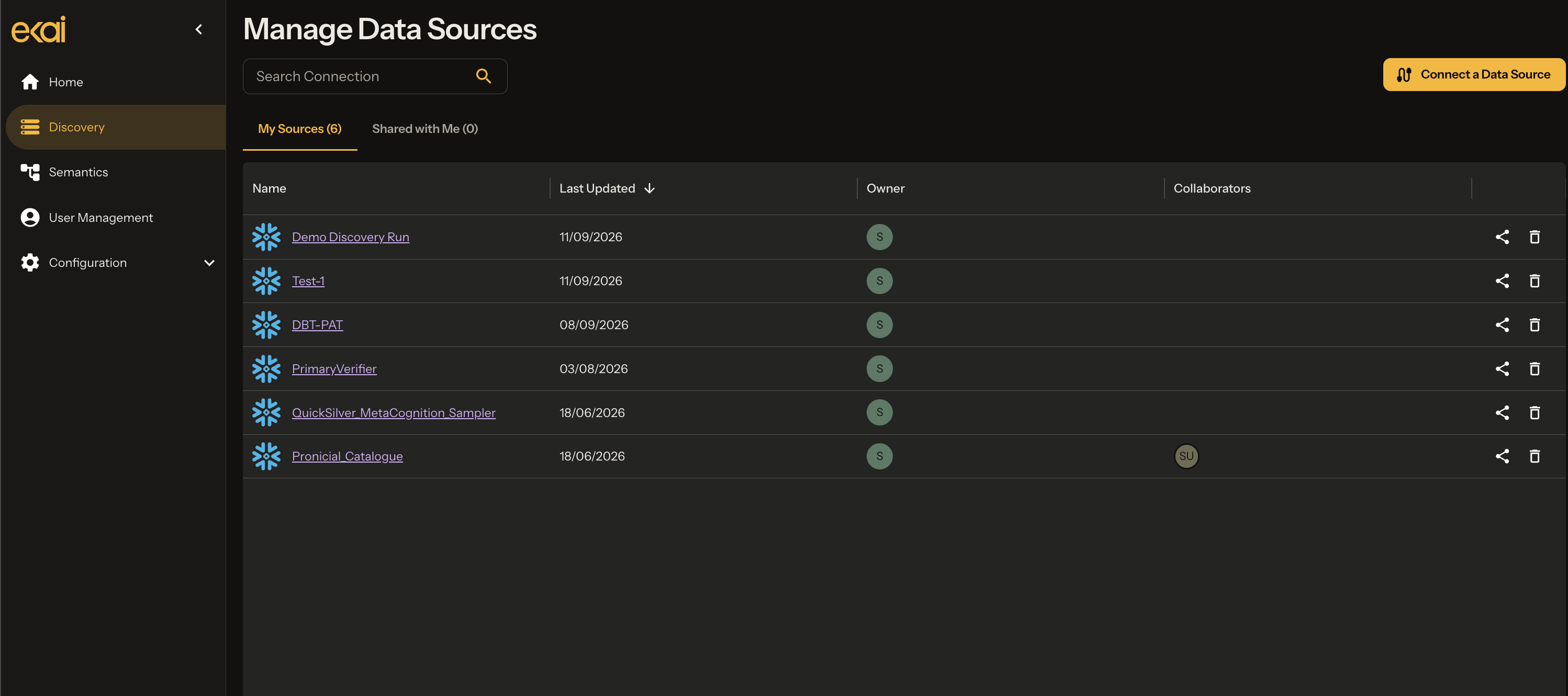
Navigate to Schema Agents
From the ekai home page, click Schema Agents in the left sidebar.
Overall Flow
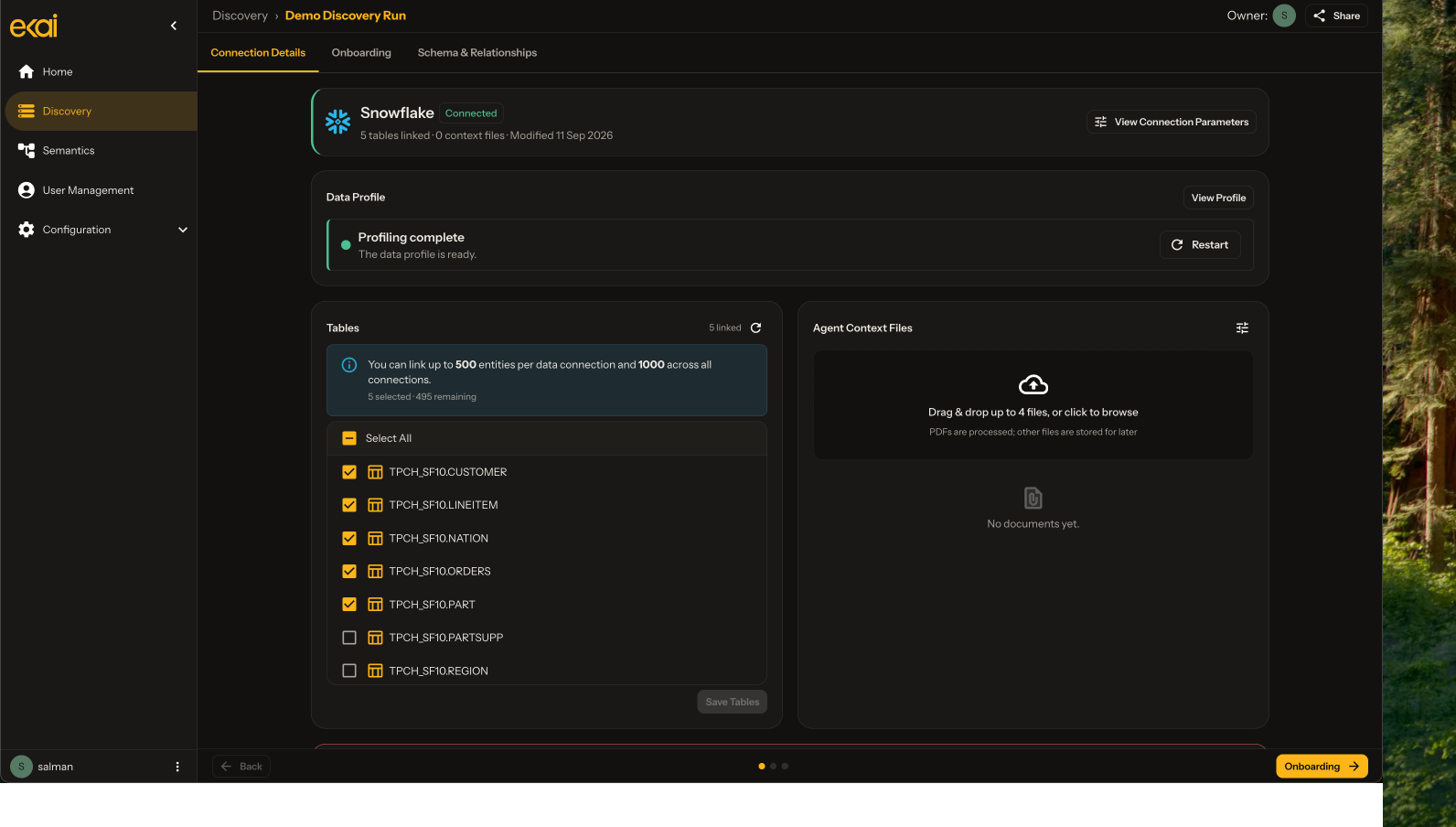
After connecting, the Schema Agent automatically kicks off two parallel processes:
- Profiling runs in the background, analyzing data patterns and statistics when tables are added or removed
- Data Onboarding requires user input to provide business context for tables and columns
Once both profiling and onboarding are completed, the Schema Agent can commence ERD generation, which identifies structure in the underlying data by detecting primary keys, foreign keys, and relationships between tables.
What Schema Agents Produce
Table Descriptions
AI-generated descriptions for every table based on naming patterns and context.
Column Documentation
Descriptions, data types, and business context for each column.
Statistical Profiles
Data characteristics and patterns analyzed for AI-driven key detection.
ERD with Keys
Entity Relationship Diagram with detected primary and foreign keys.
Confidence Scores
Each relationship includes a confidence score and reasoning.
DBML Export
Database Markup Language export for use in other tools.
Using Schema Agents with Semantic Models
The ERD generated by Schema Agents becomes the foundation for Semantic Models:
One Schema Agent connection can be used by multiple Semantic Models, each producing different data products.
Next Steps
- Create Connection — Connect your data warehouse
- Onboarding Agent — AI context gathering
- Statistical Profiling — Data analysis
- Generate ERD — Create the ERD
- Review Relationships — Refine with AI chat