LLM Configuration
ekai uses Large Language Models (LLMs) for AI-powered features including schema onboarding, ERD generation, BRD interviews, and artifact generation. Configure your LLM provider based on your organization's security and compliance requirements.
LLM Configuration is only accessible to account Owners. Admins and Users do not see this menu item.
Configuration Screen
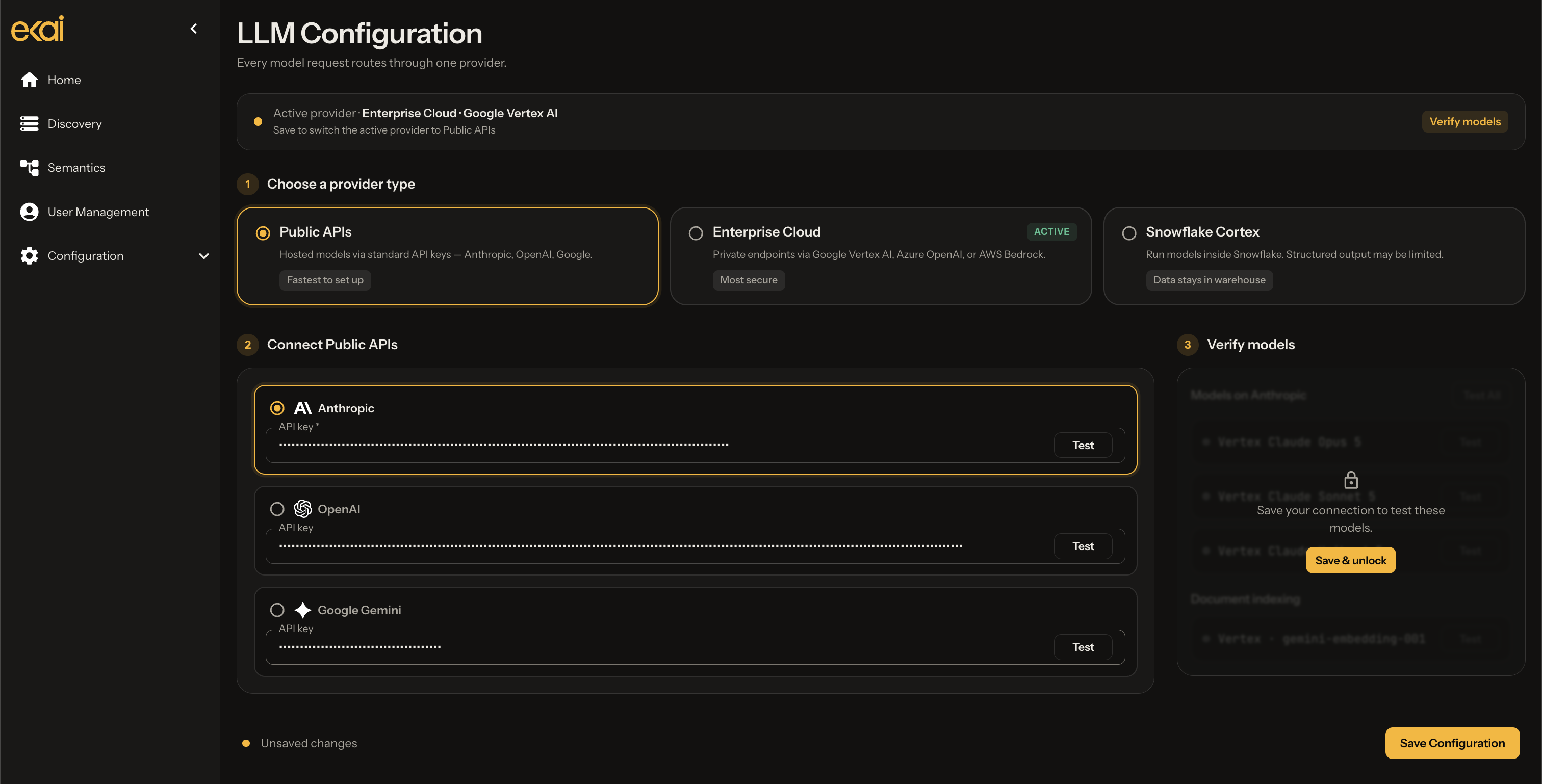
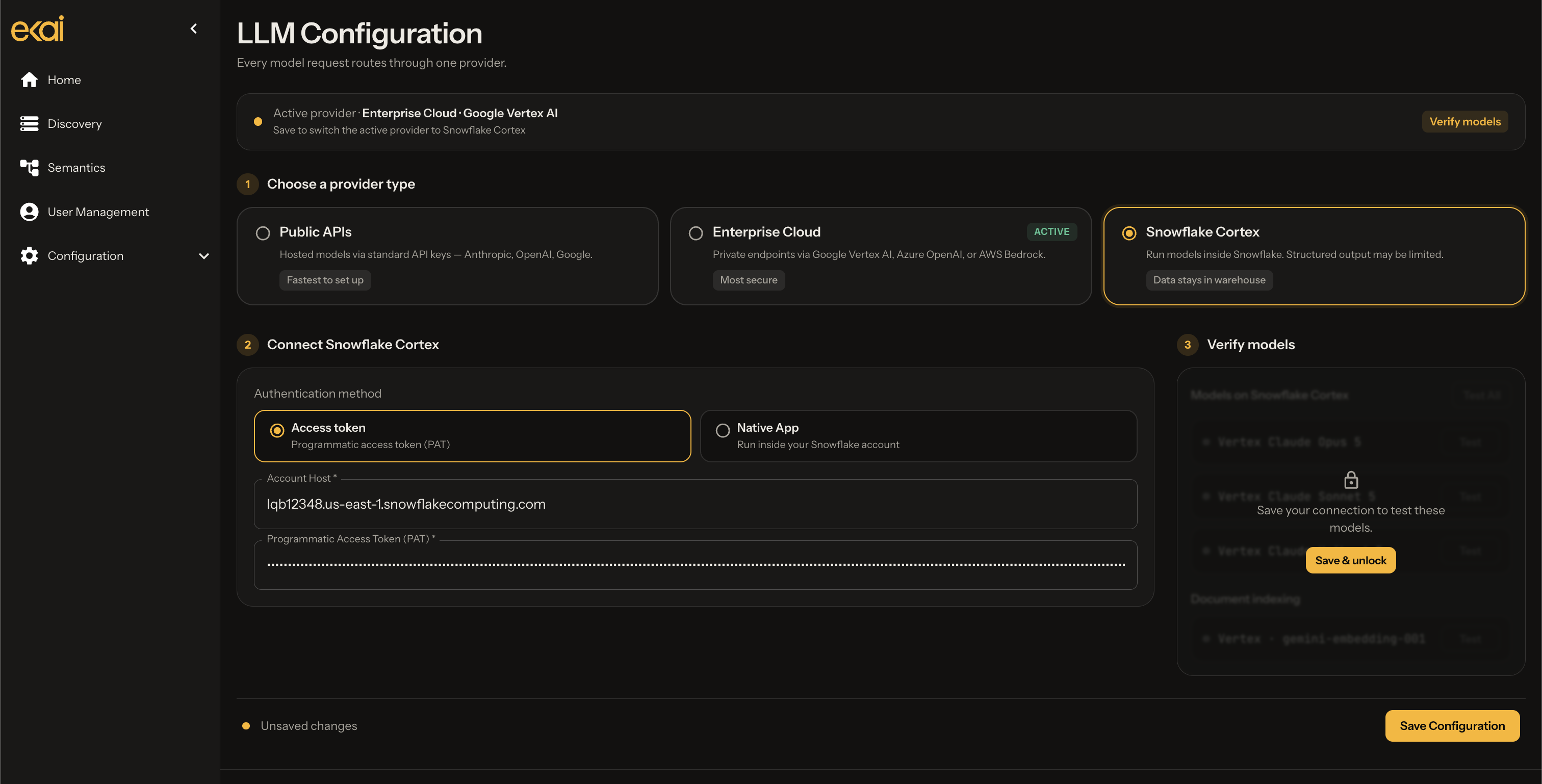
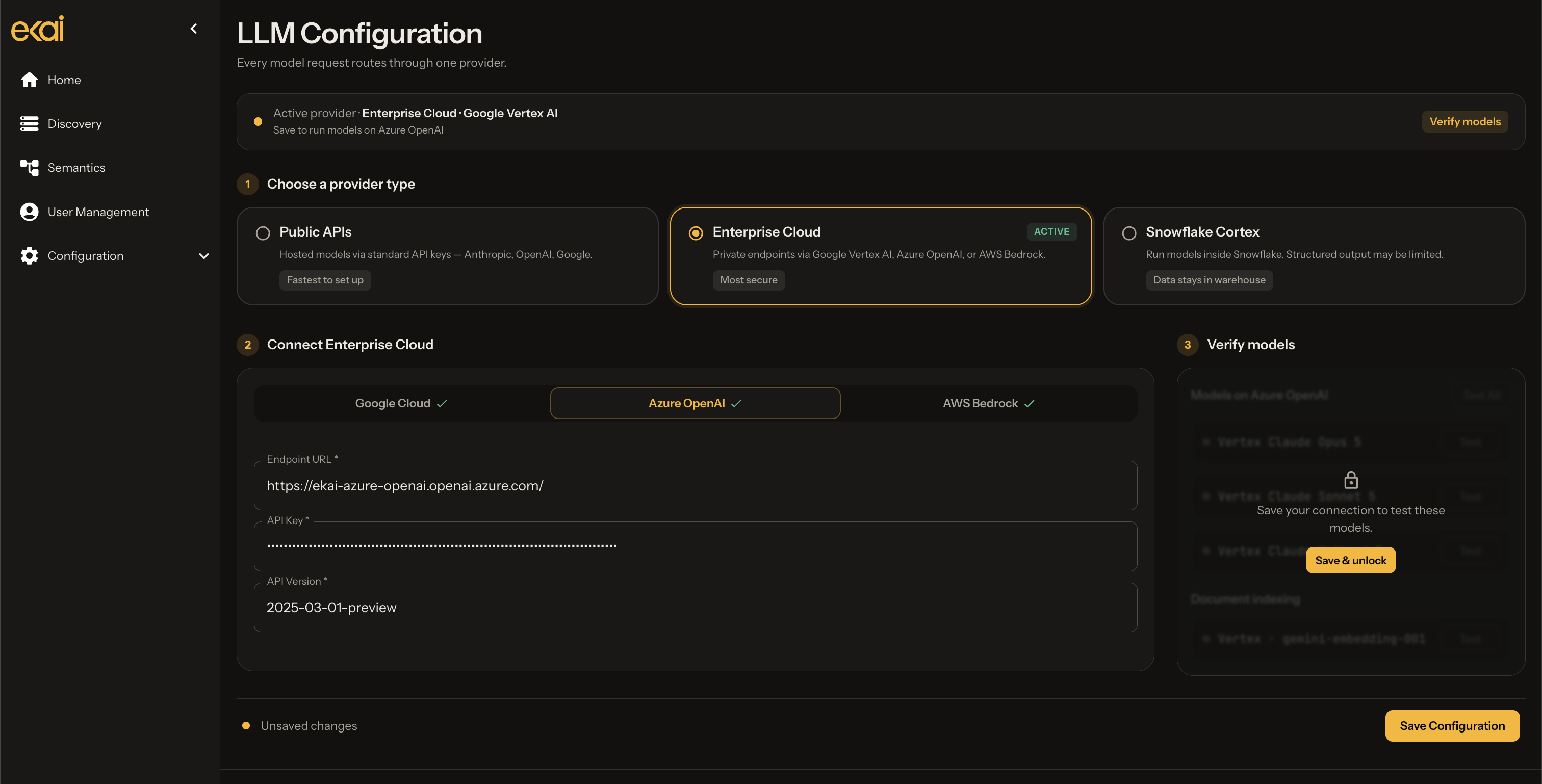
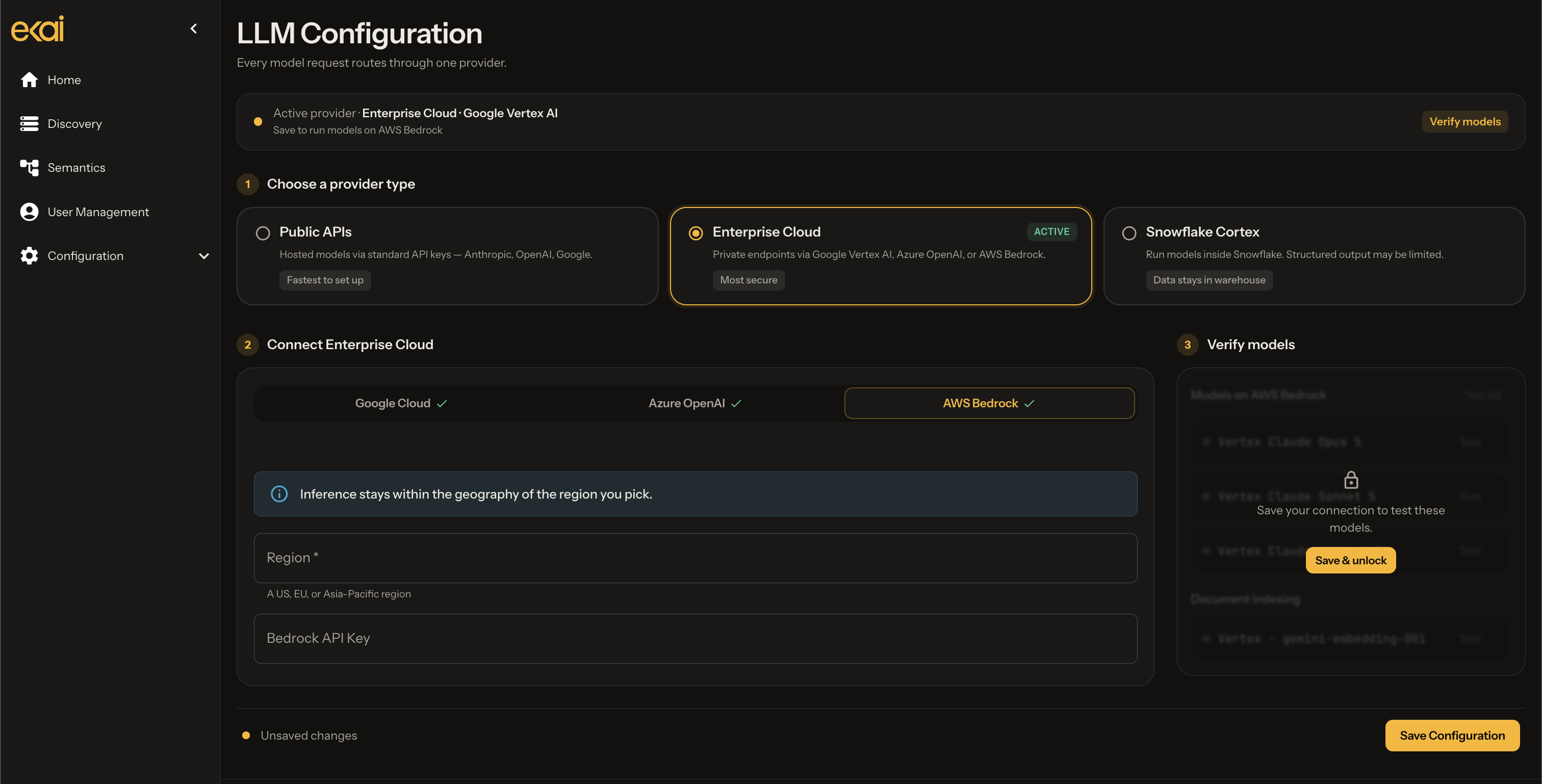
Navigate to LLM Configuration in the sidebar to configure your AI provider.
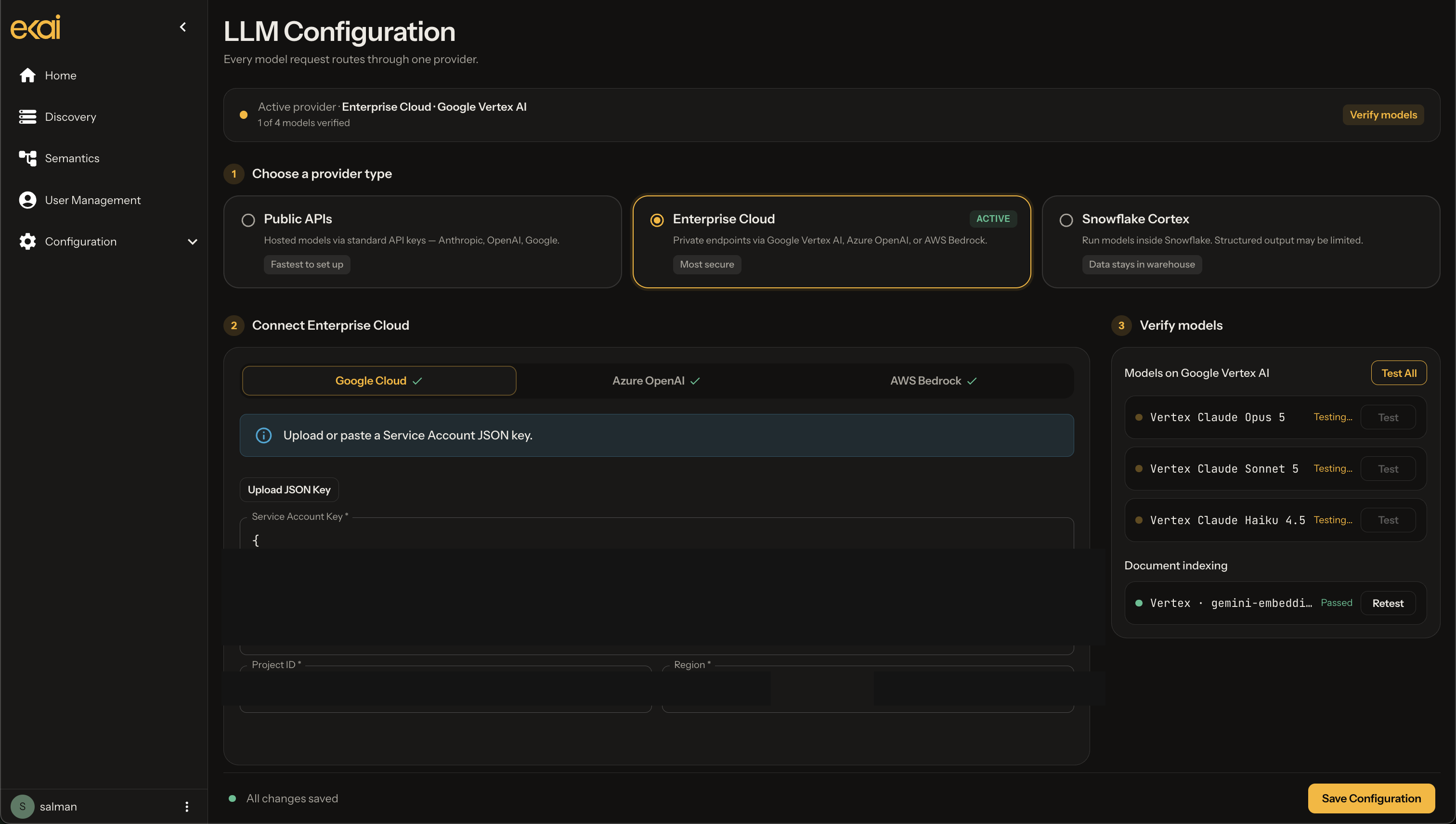
Provider Types
Public LLM APIs
Connect to hosted models via standard API keys.
| Provider | Models |
|---|---|
| Anthropic | Anthropic Claude Opus 5, Anthropic Claude Sonnet 5, Anthropic Claude Haiku 4.5 |
| OpenAI | OpenAI GPT 5.6 Sol, OpenAI GPT 5.6 Terra, OpenAI GPT 5.6 Luna, OpenAI text-embedding-3-large |
| Google Gemini | Gemini 3.7 Flash, Gemini gemini-embedding-2 |
Use case: Quick setup, standard security requirements
Note: When using Anthropic models, you will also need to add Google Gemini key to avail gemini-embedding-2 for document indexing.
Snowflake Cortex LLMs
Run models directly within Snowflake. Complete in-platform processing.
| Provider | Models |
|---|---|
| Snowflake Cortex | Claude Opus 5, Claude Sonnet 5, Claude Haiku 4.5, Cortex arctic-embed-l-v2.0 |
Use case: Enhanced security, Snowflake Native App deployments
Enterprise Cloud APIs
Use secure, private endpoints via your enterprise cloud accounts.
| Provider | Models |
|---|---|
| Google Vertex AI | Vertex Claude Opus 5, Vertex Claude Sonnet 5, Vertex Claude Haiku 4.5, Vertex gemini-embedding-001 |
| Azure OpenAI | Azure OpenAI GPT 5.6 Sol, Azure OpenAI GPT 5.6 Terra, Azure OpenAI GPT 5.6 Luna, Azure OpenAI text-embedding-3-large |
| AWS Bedrock | Claude via AWS |
Use case: Enterprise security, data residency, compliance
Ensure required models are enabled in your cloud environment:
- Google Vertex AI: Enable Vertex AI APIs and models
- Azure OpenAI: Request model access and deployments
- AWS Bedrock: Enable model access in Bedrock
Configuration Steps
Public APIs
- Navigate to LLM Configuration in the sidebar
- Select Public APIs
- Enter API keys for your chosen providers:
- Anthropic API key
- OpenAI API key
- Google AI API key
- Click Test to verify connectivity
- Click Save
Enterprise Cloud (Google Vertex AI)
- Select Enterprise Cloud
- Choose Google Cloud Platform tab
- Upload your Service Account JSON key or paste the content
- Click Test to verify connectivity
- Click Save
- Vertex AI User role
- Access to Claude and/or Gemini models
- Appropriate project permissions
Enterprise Cloud (Azure OpenAI)
- Select Enterprise Cloud
- Choose Azure tab
- Enter Azure OpenAI credentials:
- Endpoint URL
- API Key
- Deployment names
- Click Test and Save
Enterprise Cloud (AWS Bedrock)
- Select Enterprise Cloud
- Choose AWS tab
- Enter AWS credentials:
- AWS Access Key ID
- AWS Secret Access Key
- AWS Region
- Click Test and Save
- bedrock:InvokeModel permission
- Access to Claude models
Try It Out
Hands on overview of how to configure LLMs
Test the LLM configuration interface with this interactive demo. Use the credentials below to simulate a successful connection:
Demo Credentials
Paste the following dummy credentials in relevant fields to try out model configuration.
Public APIs:
- Anthropic:
sk-ant-demo-2026 - OpenAI:
sk-proj-demo-2026 - Gemini:
AIza-demo-2026
Enterprise Cloud:
- GCP:
{"type":"service_account","project_id":"demo"} - Azure:
https://demo.openai.azure.com - AWS:
us-east-1
Snowflake Cortex:
- PAT:
demo-pat-2026
LLM Configuration
Every model request routes through one provider.
Choose a provider type
Connect Enterprise Cloud
Verify models
Troubleshooting
| Issue | Solution |
|---|---|
| Test fails | Verify API key/credentials are correct and have required permissions |
| Model unavailable | Check your provider subscription includes the required models |
| Rate limiting | Enterprise Cloud APIs have higher limits; consider upgrading |
| Timeout errors | Check network connectivity to API endpoints |
Next Steps
- User Management - Configure team access
- Create Connection - Connect your warehouse
- Schema Agents Overview - Start using ekai