External Access Integrations
Optional network egress for enterprise LLMs, PAT auth, user invites, and GitHub integration.
1. EAI Status
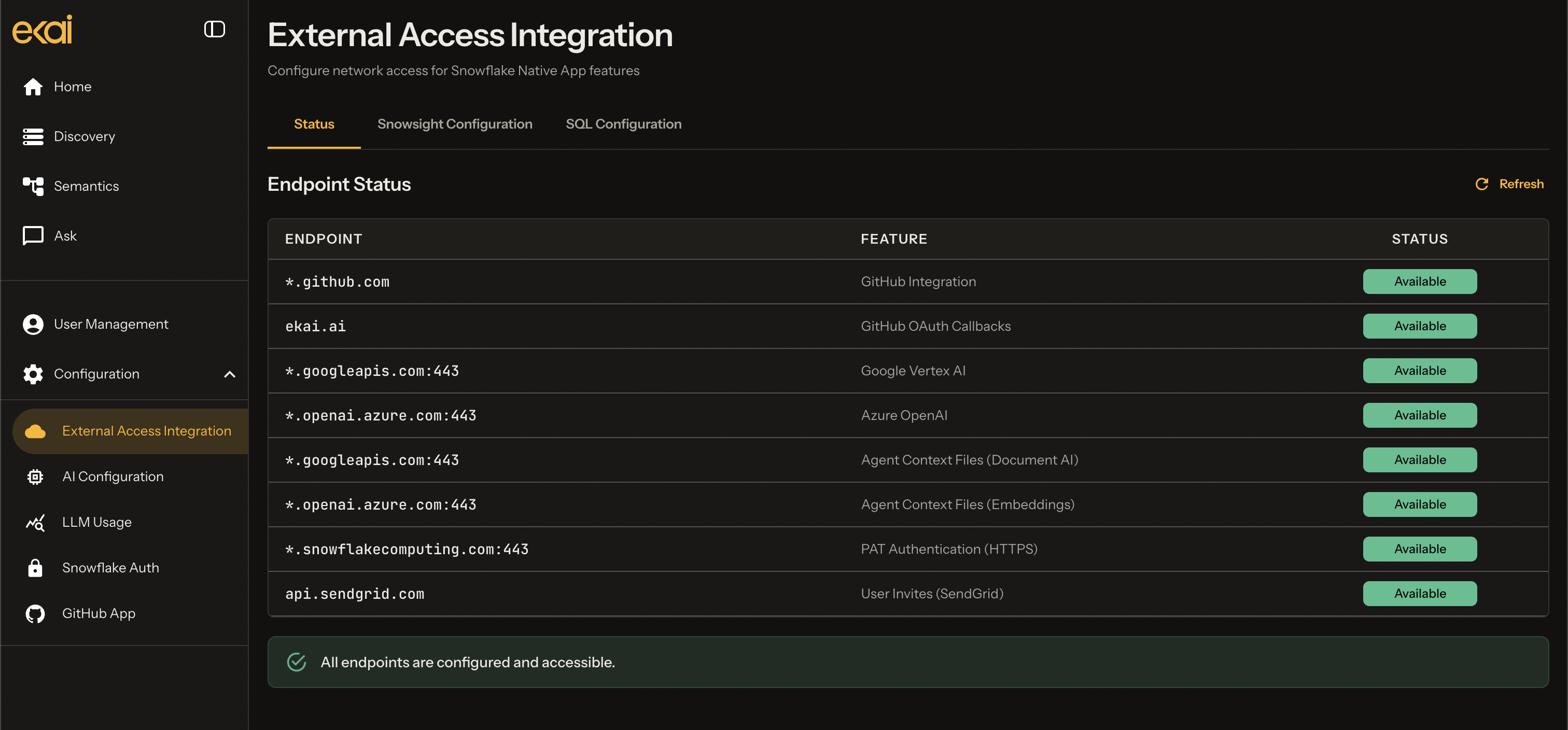
Configuration → External Access Integration in the app shows endpoint status. Unavailable endpoints can be enabled via Snowsight or SQL below. Refer to the figure below to see which EAI endpoints are needed for specific optional features.
2. Snowsight Configuration
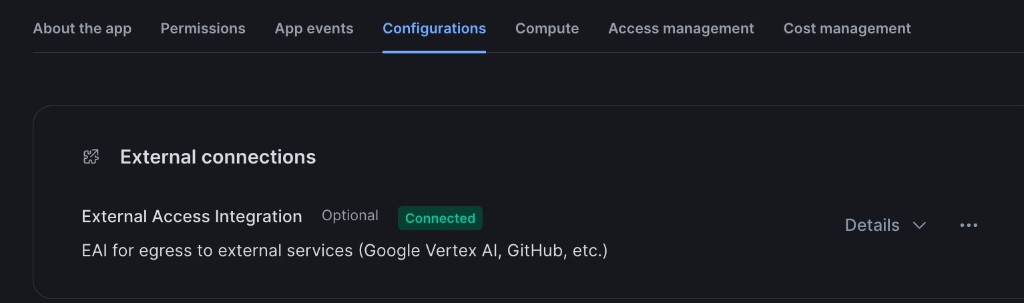
Step 1 — Attach EAI
Apps → My Apps → (...) on your app → View settings → Configurations → attach External Access Integration.
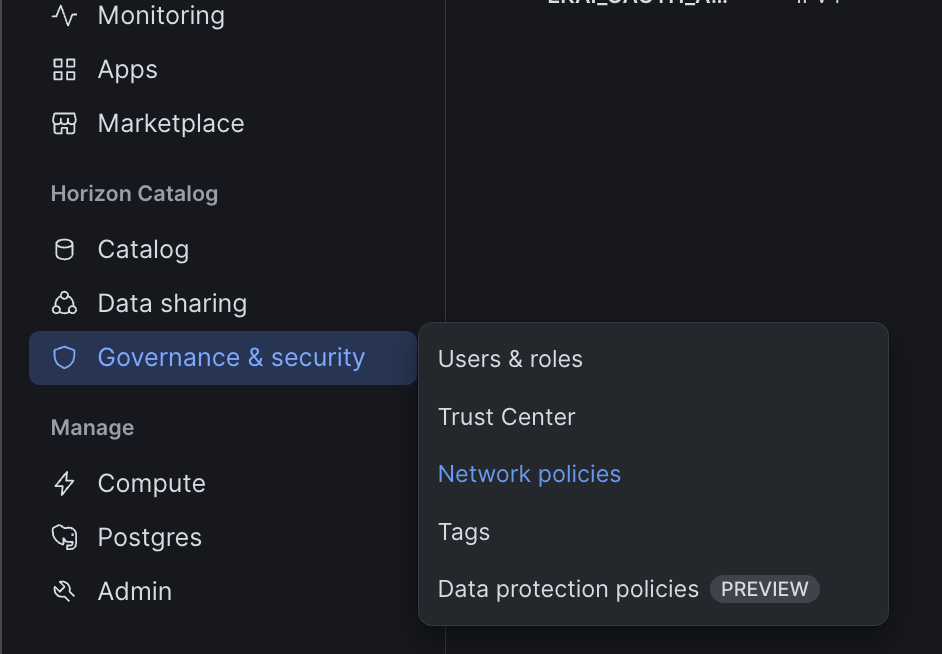
Step 2 — Access Network Policies
Menu → Governance & security → Network policies
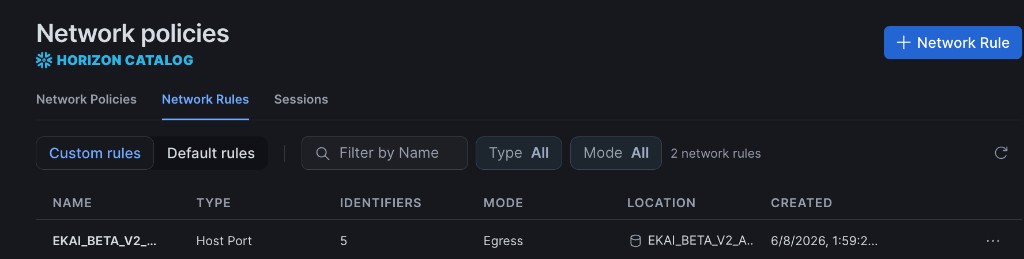
Step 3 — Access ekai's EAI Network Rule
Network Rules → Custom rules → find your app's external access network rule:
EKAI_PRIVATE_PREVIEW_EKAI_EXTERNAL_ACCESS_NETWORK_RULE
Step 4 — Edit Rule
(...) → Edit → add required endpoints e.g. *.snowflakecomputing.com:443
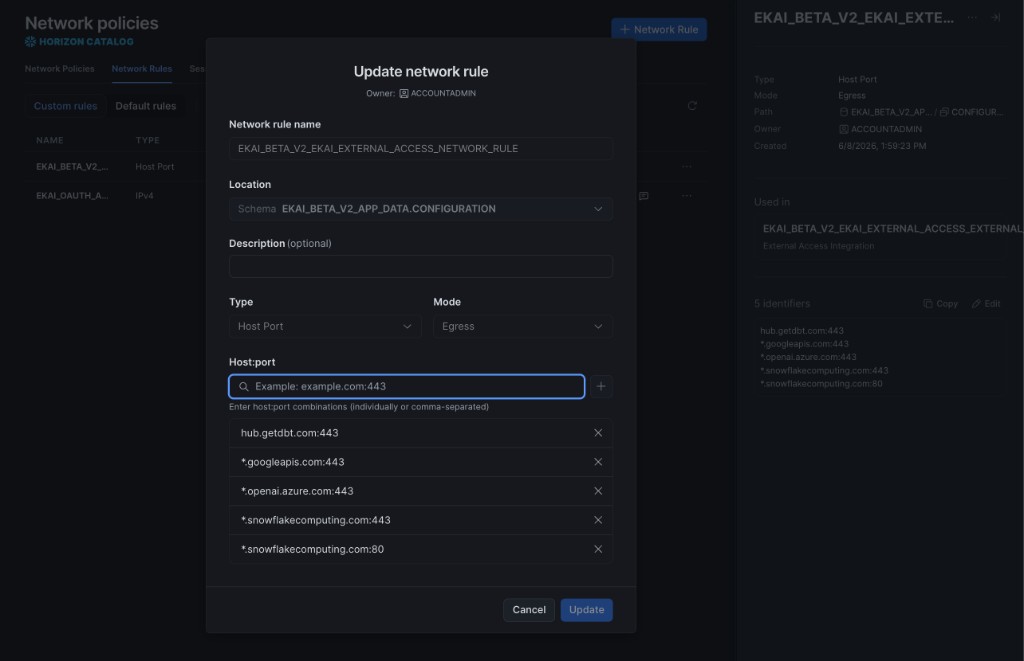
Changes take effect after restarting the app.
-- Stop
CALL EKAI_PRIVATE_PREVIEW.ekai_native_app_public.suspend_all_services();

-- Check: Menu → Monitoring → Services & Jobs

-- Restart
CALL EKAI_PRIVATE_PREVIEW.ekai_native_app_public.resume_all_services();
3. SQL Configuration
1. Attach EAI
Same as Snowsight Step 1.
Run as ACCOUNTADMIN or a role with network policy privileges.
2. View current configuration
DESCRIBE NETWORK RULE EKAI_PRIVATE_PREVIEW.CONFIGURATION.EKAI_PRIVATE_PREVIEW_EKAI_EXTERNAL_ACCESS_NETWORK_RULE;
3. Backup current value list
DESCRIBE NETWORK RULE EKAI_PRIVATE_PREVIEW.CONFIGURATION.EKAI_PRIVATE_PREVIEW_EKAI_EXTERNAL_ACCESS_NETWORK_RULE;

SELECT '''' || f.value::STRING || ''',' AS allowed_host
FROM TABLE(FLATTEN(INPUT => SPLIT((SELECT "value_list" FROM TABLE(RESULT_SCAN(LAST_QUERY_ID()))), ','))) f;
4. Update value list
This overwrites existing config. Include all endpoints that should remain allowed.
ALTER NETWORK RULE EKAI_PRIVATE_PREVIEW.CONFIGURATION.EKAI_PRIVATE_PREVIEW_EKAI_EXTERNAL_ACCESS_NETWORK_RULE
  SET VALUE_LIST = (
    '*.github.com',
    'ekai.ai',
    '*.googleapis.com:443',
    '*.openai.azure.com:443',
    '*.snowflakecomputing.com:443',
    'api.sendgrid.com'
  );
Changes take effect after restarting the app.
CALL EKAI_PRIVATE_PREVIEW.ekai_native_app_public.suspend_all_services();
-- Check: Menu → Monitoring → Services & Jobs
CALL EKAI_PRIVATE_PREVIEW.ekai_native_app_public.resume_all_services();